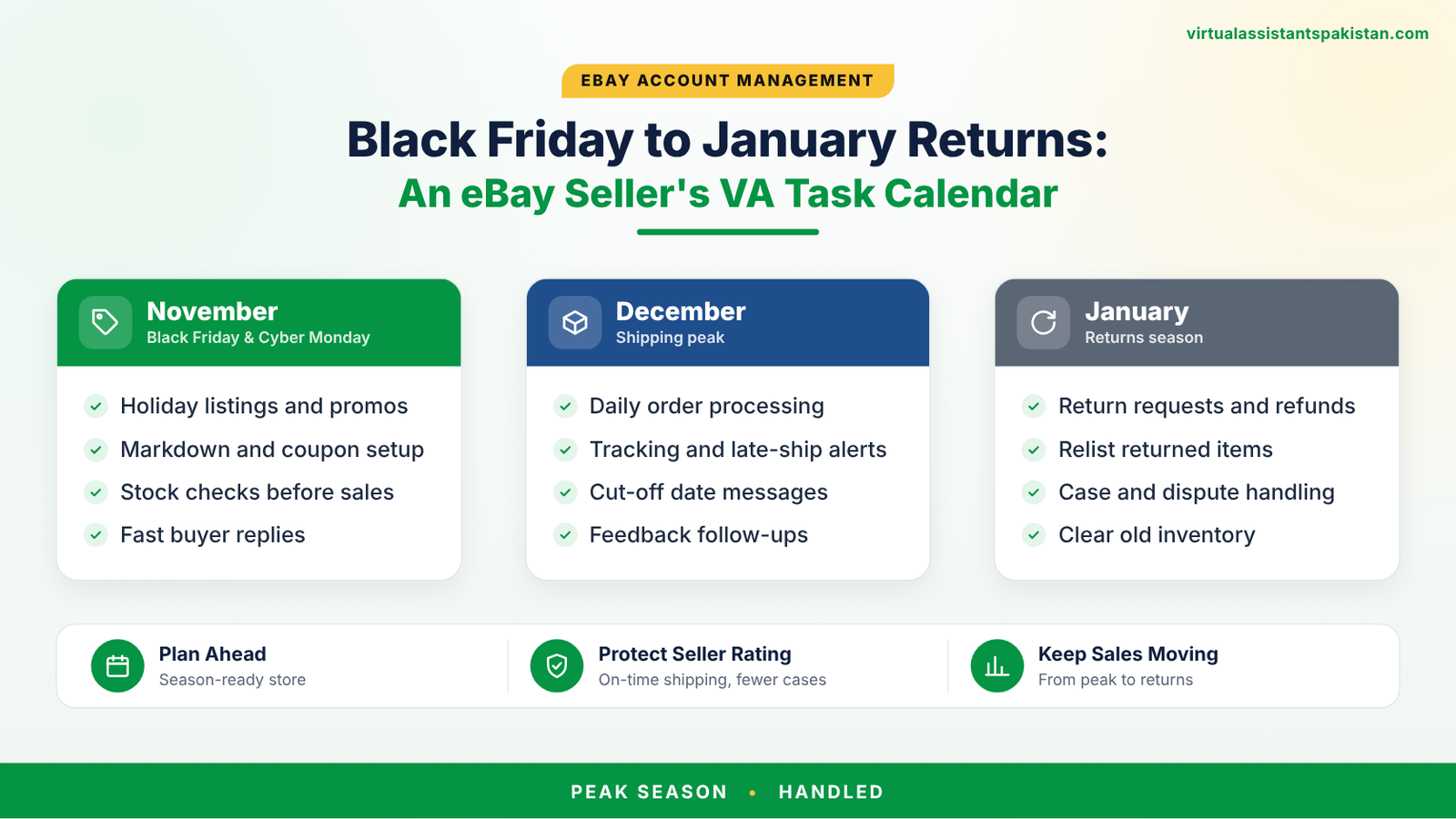
For eBay sellers, the stretch from Black Friday to January is really two jobs. First you sell as much as you can in November and December. Then you absorb the returns that follow. Most sellers plan for the first and get buried by the second. This calendar shows the eBay virtual assistant tasks that matter in each phase of the 2026 to 2027 season, so work never piles up on you. If you would rather hand over the whole account, take a look at our eBay account management services.
Quick answer
- Start before Black Friday. Black Friday is November 27, 2026 and Cyber Monday is November 30. Most of the useful prep happens in the weeks before.
- Four jobs fill most of a VA’s time: listings, buyer messages, order and tracking uploads, and returns.
- Returns need a plan too. January is when late shipments, unresolved cases and refund requests can hurt your seller performance.
- Cost: a part-time VA is about $480 a month and a full-time VA about $800. Add hours for the peak and release them afterward.
- Stay safe: never share your eBay password. Use delegated access where eBay offers it, plus multi-factor authentication.
The 2026 to 2027 eBay holiday calendar for your VA
Dates below are for the US holiday season. Adjust them to your own sales pattern and check eBay’s current seller rules, because policies change.
Phase 1: Prep
Now through November 8
- Audit active listings for weak titles, poor photos and missing item specifics
- Reconcile stock counts so nothing oversells on the first big day
- Write message templates for shipping, delays and return requests
- Review your return policy and handling times, and update them if needed
- Document every routine in a short SOP so a backup VA could take over
Phase 2: Pre-sale
November 9 through November 25
- Schedule new listings and refresh your best sellers with holiday-ready titles
- Review Promoted Listings and Best Offer rules so margins stay protected
- Check packing supplies and label stock
- Test the daily routine: orders, labels, tracking upload, messages
Phase 3: Thanksgiving to Cyber Monday
November 26 through November 30
- Watch inventory through the day and end or adjust listings that sell out
- Answer buyer messages quickly, using your templates
- Print labels and upload tracking every day so orders ship on time
- Flag anything unusual to you, such as address problems or high-value orders
Phase 4: Shipping peak
December 1 through December 20
- Confirm each carrier’s published holiday cutoffs in early December and update your delivery messaging
- Message buyers proactively when a package is delayed
- Track late or stalled shipments and open carrier claims where needed
- Keep listings current as stock runs low
Phase 5: Last orders and first returns
December 21 through December 31
- Switch on returns mode: check the returns queue every day
- Restock returned items that are in sellable condition
- Reprice slow stock for end-of-year clearance
Phase 6: Returns and recovery
January 1 through January 31
- Process return requests and refunds inside eBay’s response windows
- Handle damaged-item claims with photos and carrier paperwork
- Respond to open cases and feedback before they escalate
- Relist or bundle returned stock, then review your seller performance numbers
- Write a short season report: what sold, what returned and what to change next year
This is the same work a VA does for other marketplaces too. If you also sell elsewhere, our guide on hiring an Amazon virtual assistant and the Shopify holiday checklist cover the same peak season.
What does an eBay virtual assistant cost?
Part-time VA
$480 / month
20 hours a week at $6 an hour. Good for one store and steady order volume.
Most popular
Full-time VA
$800 / month
40 hours a week at $5 an hour. Covers listings, messages, shipping and returns.
Peak-season boost
$5–$6 / hour
Add hours from November to January, then release them. No long contract.
These are our standard rates. Plans are billed monthly with no lock-in.
Which eBay tasks can you hand to a VA?
Selling side
- Listing creation and title and photo updates
- Inventory and stock-count checks
- Promoted Listings and Best Offer monitoring
- Repricing and clearance of slow stock
- Order processing and label printing
Service side
- Buyer messages and order questions
- Tracking uploads and delay notices
- Return requests and refund processing
- Cases, claims and feedback replies
- Seller performance monitoring and weekly reports
How to set up your eBay VA before Black Friday: 6 steps
- Map your daily routine. List every task, how long it takes and which tools you use. This becomes your VA’s first SOP.
- Set up safe access. Use eBay’s delegated access options where your account supports them, and turn on multi-factor authentication. Do not share your password.
- Write your templates and rules. Cover messages, returns, refunds and when to ask you before acting.
- Start with one task. Begin with messages or tracking uploads, review daily for two weeks, then add more.
- Agree on working hours. Pakistan is 9 to 10 hours ahead of US Eastern time, so a VA can clear orders and messages overnight, ready for your morning.
- Review weekly. Track the numbers below and adjust before the peak hits.
Numbers to track through the season
| Metric | What it shows | How to check |
|---|
| Message response time | Buyer experience during peak | Average time to first reply |
| Late shipment rate | Whether orders leave on time | Seller Hub performance page |
| Tracking uploaded on time | Order-handling discipline | Share of orders with tracking by cutoff |
| Return processing time | How fast refunds and restocking happen | Days from request to resolution |
| Open cases | Unresolved buyer disputes | Case count at the end of each week |
| Sell-through of listed stock | Which items earned their place | Units sold vs. units listed |
Note your numbers from last season, or from this month, before the VA starts, so you can see what changed.
Mistakes to avoid
- Sharing your eBay password. Use delegated access and keep control of the account.
- Planning only for sales. January returns need as much preparation as November sales.
- Starting during Cyber Monday week. Onboard and test your VA before the rush, not in the middle of it.
- Ignoring carrier cutoffs. Check the published dates and update your handling messages.
- Letting returns sit. Assign someone to check the returns queue daily.
Frequently asked questions
What tasks can an eBay virtual assistant do?
An eBay VA can create and update listings, check stock, answer buyer messages, print labels, upload tracking, process returns, respond to cases and feedback, and report on seller performance. Pricing and policy decisions stay with you.
How much does an eBay virtual assistant cost?
About $5 to $6 an hour. That works out to roughly $480 a month part time and $800 a month full time. You can add hours for the holiday season and release them afterward.
When should I hire a VA for the holiday season?
As early as you can. A VA usually starts within three to five business days, but you need a week or two of training and review before the Black Friday weekend, which falls on November 27 this year.
Is it safe to give a VA access to my eBay account?
It can be, with the right setup. Use eBay’s delegated access options where available, turn on multi-factor authentication, limit access to what the role needs and never share your password. Every VA we place signs an NDA before starting.
Can a VA handle returns and refunds?
Yes. A VA can process return requests, check items against your policy and issue refunds under rules you set. Set a limit for refunds that need your approval first.