

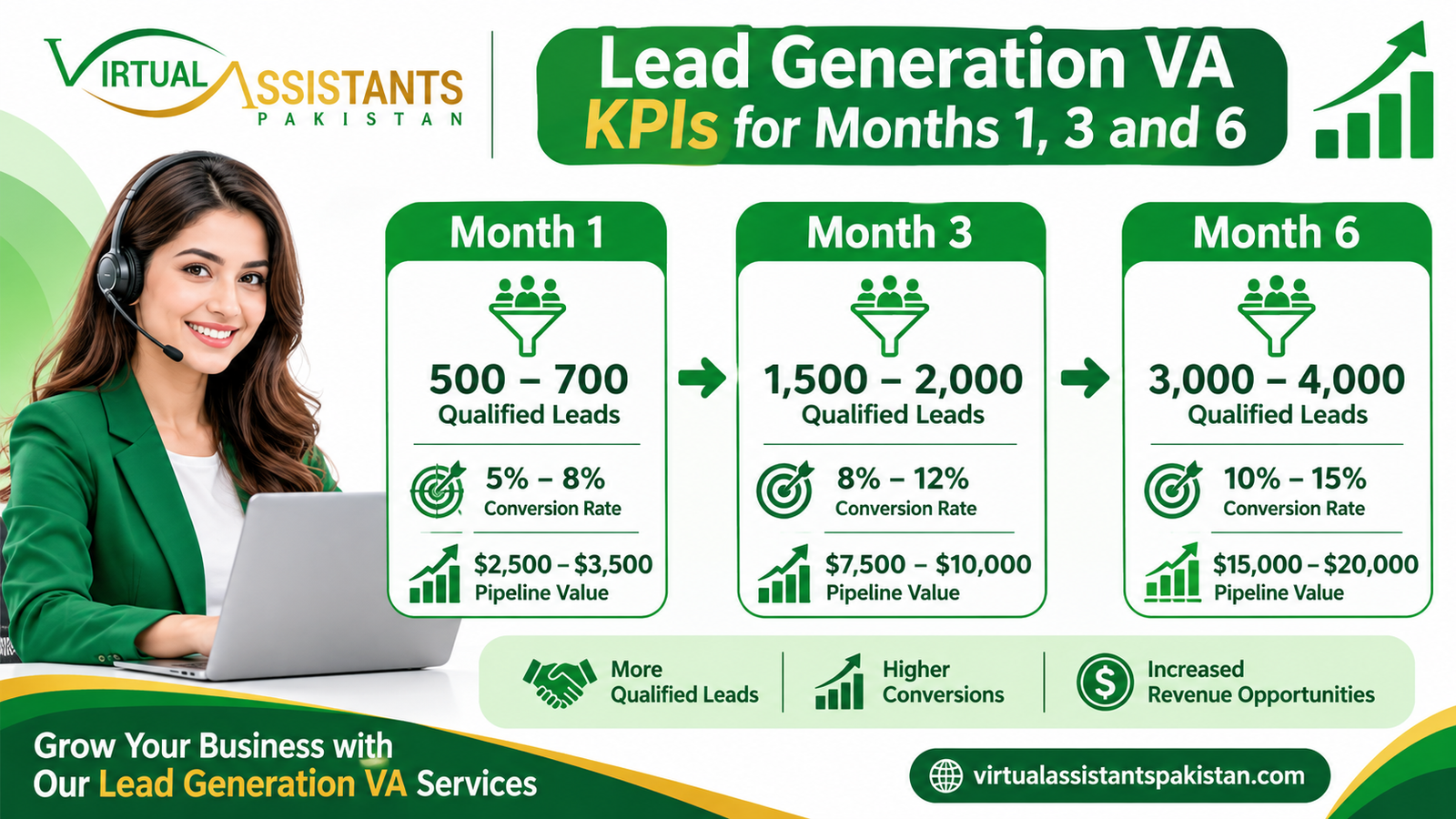
You hired a lead generation assistant, the calls and emails are going out, and now you want to know one thing: is it working? Most owners judge too early, on the wrong numbers, and either fire a good assistant in week three or keep a weak one for six months. A lead generation virtual assistant should be judged on a few clear KPIs, and what “good” looks like changes as the work matures. This guide shows what to track in month 1, month 3 and month 6.
Two mistakes come up again and again. The first is judging on meetings in the first two weeks, before the list, scripts and messages have been tested. The second is judging only on activity, such as 100 calls a day, without checking whether any of it turns into real conversations.
A good KPI plan avoids both. It moves from inputs (activity and quality) to outputs (replies and meetings) to outcomes (pipeline and revenue) over six months.
Is the work being done, and done right? Volume, list quality, message quality, CRM hygiene.
Are prospects responding? Reply rate, connect rate, booked meetings and show rate.
Is it making money? Qualified pipeline, deals won and cost per meeting.
| KPI | What it measures | Why it matters |
|---|---|---|
| Daily activity | Calls, emails, LinkedIn messages sent | Without volume, nothing else happens |
| Data accuracy | Share of contacts with correct name, title, email and phone | Bad data wastes every hour after it |
| Connect rate | Calls that reach a real person | Shows list quality and calling times |
| Reply rate | Emails or LinkedIn messages that get a reply | Shows whether the message works |
| Meetings booked | Calls or demos scheduled | The main output you are paying for |
| Show rate | Booked meetings that actually happen | A booked no-show is not a result |
| Qualified rate | Meetings that match your ideal customer | Stops the VA from booking anyone just to hit a number |
| Cost per qualified meeting | Monthly VA cost divided by qualified meetings | The number to compare against other channels |
The first month is a ramp. Your VA is learning your offer, your ideal customer and your tools. Expect few meetings. What you should see is steady, high-quality work.
By month three, the list, scripts and process should be settled. This is the right time to judge whether the channel works for your business.
If you use cold calling as part of the mix, our guide to the cold calling virtual assistant covers call scripts and daily routines in more detail.
After six months you have enough data to make a business decision. Look past activity and ask what the channel produced.
| Check | Month 1 | Month 3 | Month 6 |
|---|---|---|---|
| Daily activity on target | Must have | Must have | Must have |
| CRM updated daily | Must have | Must have | Must have |
| Reply and connect rate | Set baseline | At or above baseline | Improving |
| Meetings booked | First few | Steady every week | Steady or growing |
| Show rate and qualified rate | Track | Healthy | Healthy |
| Pipeline and cost per meeting | Too early | Early signal | Main decision |
Tell us your market and targets. We will help you hire a trained lead generation VA from $5 an hour.
Get a lead generation VAIf you are still choosing how to pay for meetings, read our guide to appointment setter pricing. For B2B outreach on LinkedIn, see LinkedIn B2B lead generation with a VA team.
It depends on your market, deal size and list. Use the first 30 days to set your own baseline, then aim for steady weekly meetings by month three. Judge on qualified meetings, not total meetings.
Expect activity and first conversations in month one, steady meetings by month three, and a clear view of pipeline and cost per meeting by month six.
Cost per qualified meeting that actually shows up. It combines volume, quality and price in one number you can compare with other channels.
Per hour gives you control and a predictable cost. Per meeting ties cost to results but usually costs more per meeting and needs clear rules on what counts as qualified.
Activity by channel, replies and connects, meetings booked and held, notes on what worked, and what will be tested next week.
Trained lead generation VAs from $5 an hour, with weekly KPI reports.
See lead generation VA servicesWe typically reply in minutes
👋 Welcome! Tell us a little about yourself and we'll help you find the right virtual assistant.
WhatsApp us